
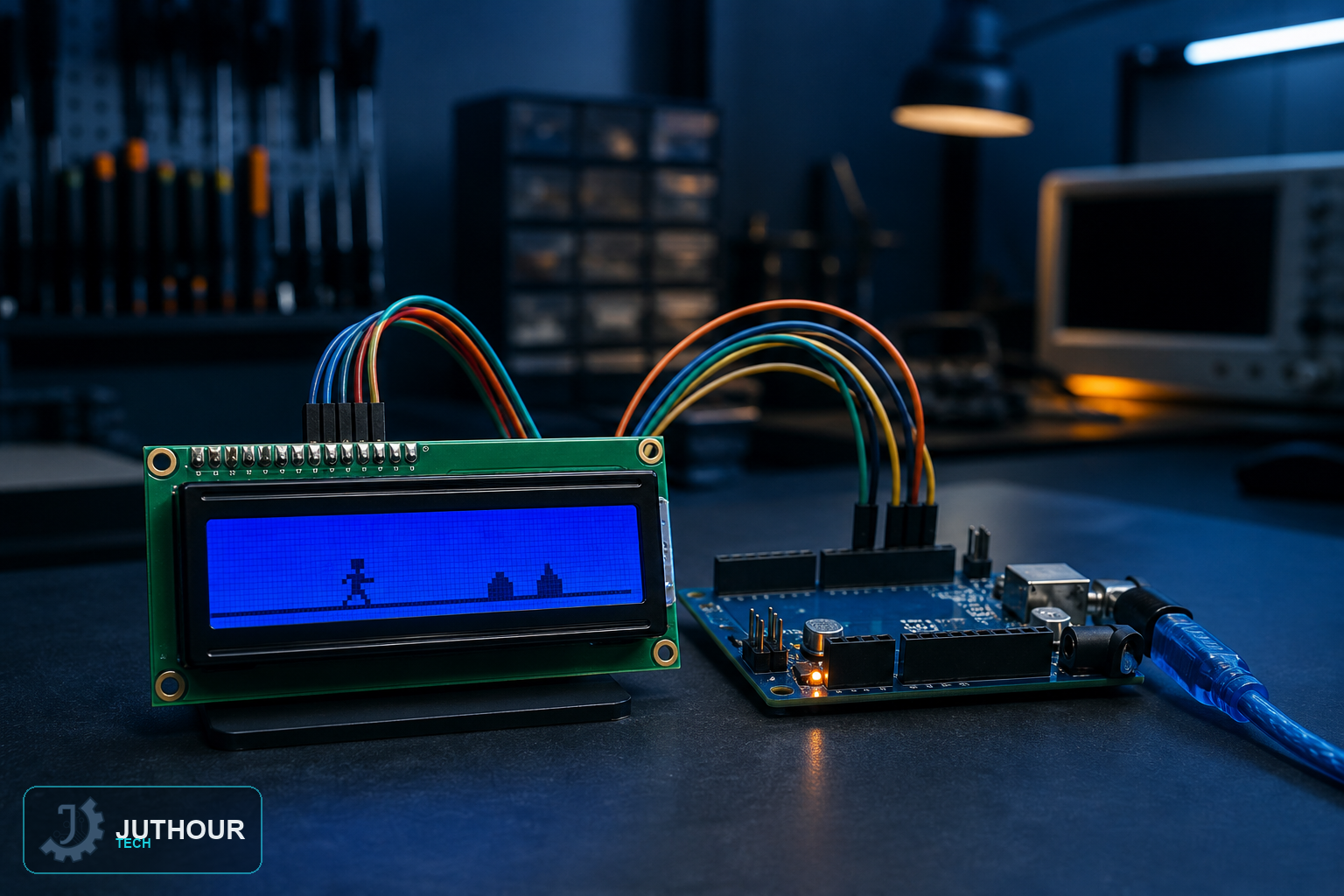
Chrome's famous offline dinosaur game gets recreated here on a humble 16x2 character LCD — no pixel graphics involved, just custom characters cleverly assembled into a running, jumping dinosaur.
Hardware setup
The project uses an LCD1602 Keypad Shield, which combines the display and a set of buttons into a single board that plugs directly onto the Arduino Uno with no extra wiring, powered by a 9V battery.
How the controls work
The shield's buttons are wired through a single analog pin using a voltage divider, so multiple buttons can be read from just one Arduino pin based on the different voltage each button press produces. Pressing UP makes the dinosaur jump over an approaching cactus, and a RESET button restarts the game after a collision.
How the graphics work on a character display
A character LCD can't draw arbitrary pixels — but it can display custom characters you design yourself, each built from an 8x5 pixel grid. The dinosaur's running legs are drawn using two alternating custom characters, and the small and large cactus obstacles are built the same way, giving the illusion of animation and movement on a display that's normally just for text.
Game logic
A scrolling array represents the game world, shifting leftward each frame to simulate the dinosaur running forward while obstacles approach. The score increases with each successful frame survived, collision is detected when the dinosaur's position overlaps an obstacle's, and reaching 999 points counts as a win.
Where this fits among our other LCD/game projects
We've built games on other displays before — a memory game with LEDs, and Snake on a dot-matrix display — but this project is worth trying specifically for its custom-character technique, a distinct approach to getting animation-like graphics out of a simple text LCD that doesn't apply to those other displays.
You can find LCD1602 Keypad Shields at Juthour Tech.
Leave your comment